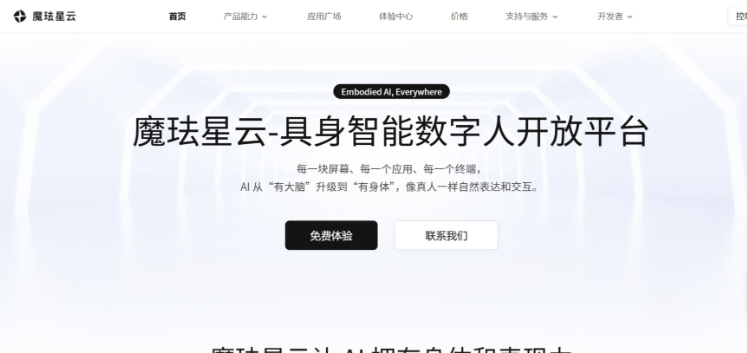
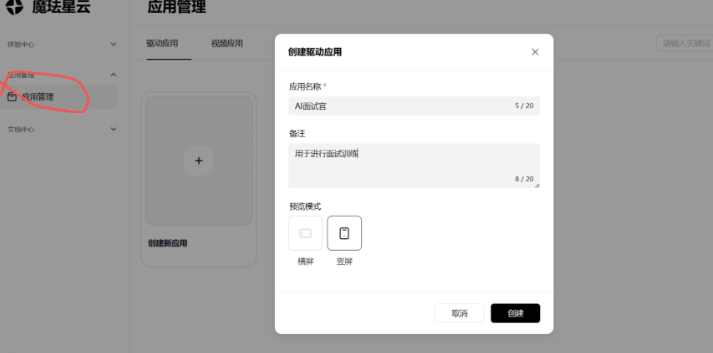
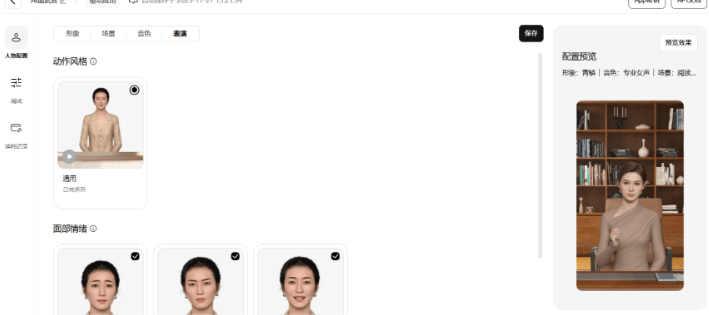
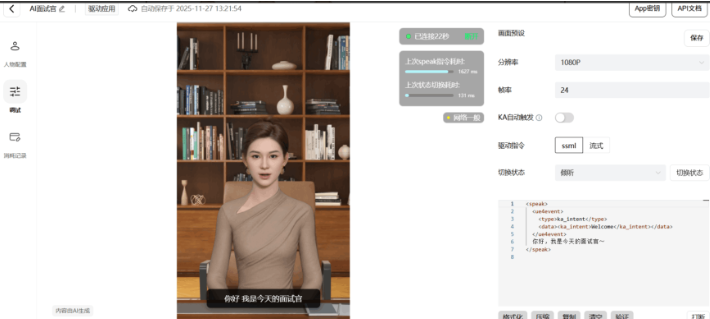
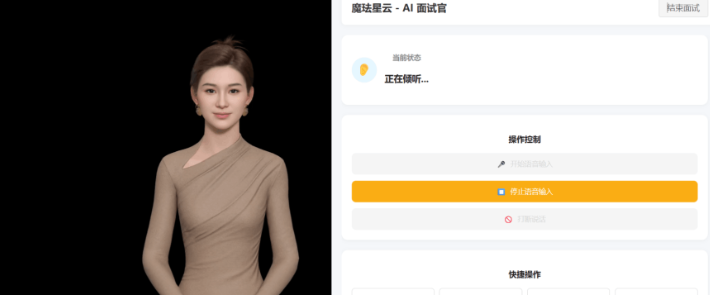
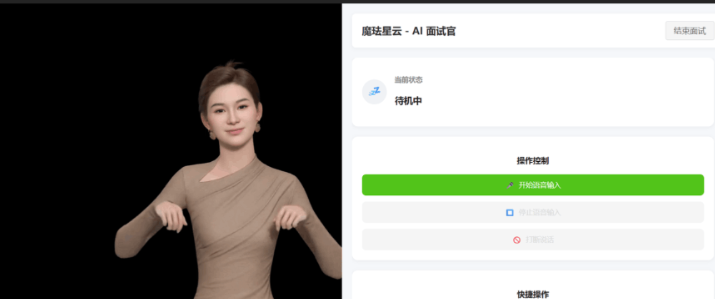
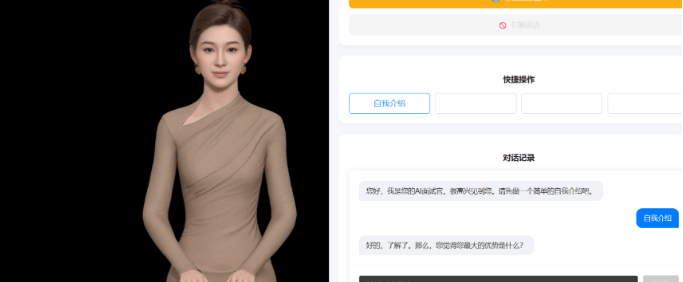
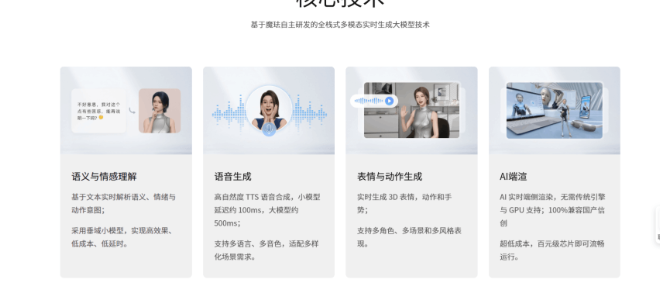
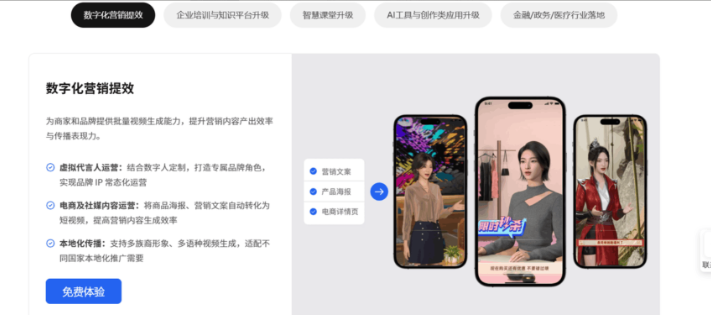
“大模型终于有了‘身体’!”—— 这是每一位接触过魔珐星云的开发者最直观的感受。作为魔珐科技重磅推出的 “具身智能基础设施”,星云彻底颠覆了 3D 数字人 “高成本、高门槛、低适配” 的行业困境:电影级数字人精度、免显卡端渲染 SDK、十行代码即可调用,甚至工业级 demo 全量开源免费下载。今天,我们从技术底层、实操教程、场景落地到性能实测,全方位拆解魔珐星云如何重构具身智能的开发逻辑。
<template>
<div class="app-container">
<div class="left-panel">
<div class="digital-human-wrapper">
<DigitalHuman
v-if="isStarted"
ref="digitalHumanRef"
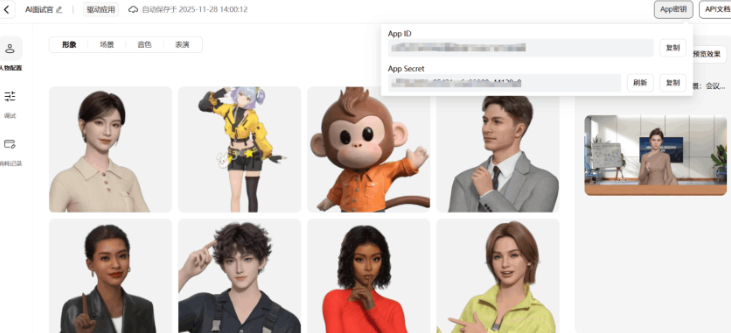
:app-id="appId"
:app-secret="appSecret"
@status-change="handleStatusChange"
@voice-start="handleVoiceStart"
@voice-end="handleVoiceEnd"
/>
<div v-else class="placeholder">
<div class="placeholder-content">
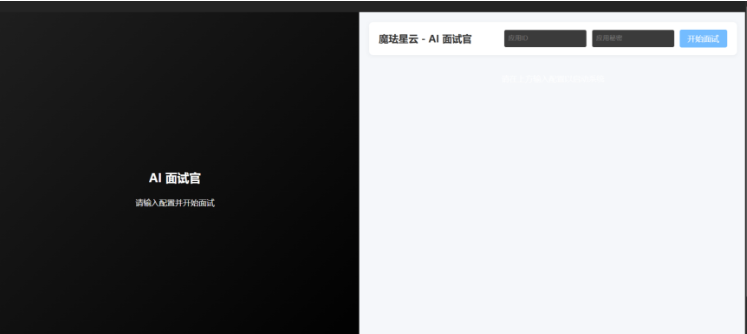
<h2>AI 面试官</h2>
<p>请输入配置并开始面试</p>
</div>
</div>
</div>
</div>
<div class="right-panel">
<div class="dashboard-header">
<h1>魔珐星云 - AI 面试官</h1>
<div class="config-controls" v-if="!isStarted">
<input v-model="appId" placeholder="App ID" class="compact-input" />
<input v-model="appSecret" type="password" placeholder="App Secret" class="compact-input" />
<button @click="startInterview" :disabled="!appId || !appSecret" class="primary-btn">开始面试</button>
</div>
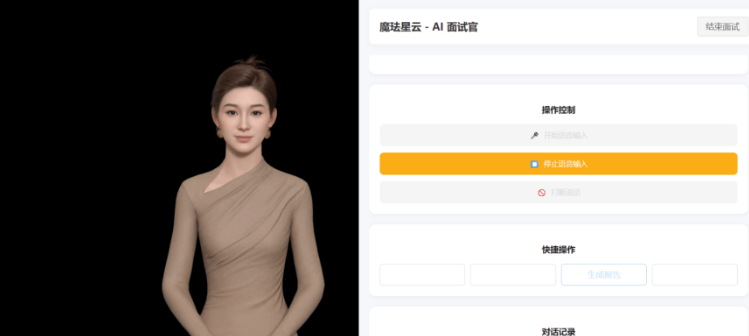
<button v-else @click="resetInterview" class="secondary-btn">结束面试</button>
</div>
<div class="dashboard-content" v-if="isStarted">
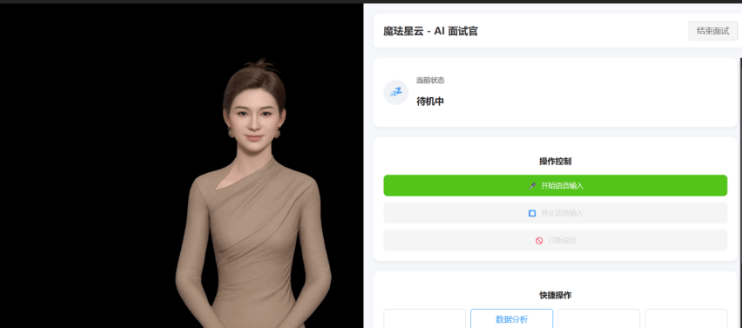
<StatusCard :status="currentStatus" />
<ControlPanel
:is-listening="currentStatus === 'listening'"
:is-speaking="currentStatus === 'speaking'"
@start-voice="manualStartVoice"
@stop-voice="manualStopVoice"
@interrupt="manualInterrupt"
/>
<div class="quick-actions">
<h3>快捷操作</h3>
<div class="action-grid">
<button @click="sendQuickReply('自我介绍')" :disabled="isSpeaking">自我介绍</button>
<button @click="sendQuickReply('数据分析')" :disabled="isSpeaking">数据分析</button>
<button @click="sendQuickReply('生成报告')" :disabled="isSpeaking">生成报告</button>
<button @click="sendQuickReply('趋势图表')" :disabled="isSpeaking">趋势图表</button>
</div>
</div>
<div class="chat-section">
<h3>对话记录</h3>
<InterviewChat
:messages="messages"
:disabled="isSpeaking || !isStarted"
@send-message="handleUserAnswer"
/>
</div>
</div>
<div class="dashboard-empty" v-else>
<p>请在上方输入配置以启动系统</p>
</div>
</div>
</div>
</template>
<script setup lang="ts">
import { ref, computed } from 'vue';
import DigitalHuman from './components/DigitalHuman.vue';
import InterviewChat from './components/InterviewChat.vue';
import StatusCard from './components/StatusCard.vue';
import ControlPanel from './components/ControlPanel.vue';
const appId = ref('');
const appSecret = ref('');
const isStarted = ref(false);
const isSpeaking = ref(false);
const isListening = ref(false);
const digitalHumanRef = ref<InstanceType<typeof DigitalHuman> | null>(null);
interface Message {
role: 'interviewer' | 'candidate';
content: string;
}
const messages = ref<Message[]>([]);
const currentStep = ref(0);
const currentStatus = computed(() => {
if (isSpeaking.value) return 'speaking';
if (isListening.value) return 'listening';
return 'idle';
});
const interviewFlow = [
{ text: "您好,我是您的AI面试官。很高兴见到您。请先做一个简单的自我介绍吧。", type: 'question' },
{ text: "好的,了解了。那么,您觉得您最大的优势是什么?", type: 'question' },
{ text: "非常有意思。在工作中,如果您遇到无法解决的技术难题,您通常会怎么做?", type: 'question' },
{ text: "感谢您的回答。今天的面试就到这里,我们会尽快通知您结果。再见。", type: 'closing' }
];
const startInterview = () => {
isStarted.value = true;
messages.value = [];
currentStep.value = 0;
setTimeout(() => {
askNextQuestion();
}, 3000);
};
const resetInterview = () => {
isStarted.value = false;
messages.value = [];
currentStep.value = 0;
isSpeaking.value = false;
isListening.value = false;
};
const askNextQuestion = () => {
if (currentStep.value < interviewFlow.length) {
const question = interviewFlow[currentStep.value];
addMessage('interviewer', question.text);
if (digitalHumanRef.value) {
digitalHumanRef.value.speak(question.text);
}
}
};
const handleUserAnswer = (text: string) => {
addMessage('candidate', text);
isListening.value = false;
setTimeout(() => {
currentStep.value++;
askNextQuestion();
}, 1000);
};
const sendQuickReply = (text: string) => {
handleUserAnswer(text);
};
const addMessage = (role: 'interviewer' | 'candidate', content: string) => {
messages.value.push({ role, content });
};
const handleStatusChange = (state: string) => {
console.log('Status:', state);
};
const handleVoiceStart = () => {
isSpeaking.value = true;
isListening.value = false;
};
const handleVoiceEnd = () => {
isSpeaking.value = false;
if (currentStep.value < interviewFlow.length) {
isListening.value = true;
if (digitalHumanRef.value) {
digitalHumanRef.value.listen();
}
}
};
const manualStartVoice = () => {
isListening.value = true;
if (digitalHumanRef.value) digitalHumanRef.value.listen();
};
const manualStopVoice = () => {
isListening.value = false;
if (digitalHumanRef.value) digitalHumanRef.value.idle();
};
const manualInterrupt = () => {
if (digitalHumanRef.value) {
digitalHumanRef.value.idle();
isSpeaking.value = false;
}
};
</script>
<style scoped>
.app-container {
display: flex;
height: 100vh;
width: 100vw;
background-color: #f0f2f5;
overflow: hidden;
}
.left-panel {
width: 50%;
height: 100%;
background-color: #000;
position: relative;
}
.digital-human-wrapper {
width: 100%;
height: 100%;
}
.placeholder {
width: 100%;
height: 100%;
display: flex;
justify-content: center;
align-items: center;
background: linear-gradient(135deg, #1f1f1f 0%, #000 100%);
color: white;
}
.placeholder-content {
text-align: center;
}
.right-panel {
width: 50%;
height: 100%;
display: flex;
flex-direction: column;
padding: 20px;
background-color: #f5f7fa;
}
.dashboard-header {
display: flex;
justify-content: space-between;
align-items: center;
margin-bottom: 20px;
background: white;
padding: 15px 20px;
border-radius: 8px;
box-shadow: 0 2px 8px rgba(0,0,0,0.05);
}
.dashboard-header h1 {
font-size: 20px;
color: #333;
margin: 0;
}
.config-controls {
display: flex;
gap: 10px;
}
.compact-input {
padding: 8px;
border: 1px solid #d9d9d9;
border-radius: 4px;
width: 150px;
}
.dashboard-content {
flex: 1;
overflow-y: auto;
padding-right: 5px;
}
.quick-actions {
background: white;
padding: 20px;
border-radius: 12px;
box-shadow: 0 2px 8px rgba(0,0,0,0.05);
margin-bottom: 20px;
}
.quick-actions h3 {
font-size: 16px;
margin-bottom: 15px;
color: #1f1f1f;
}
.action-grid {
display: grid;
grid-template-columns: repeat(4, 1fr);
gap: 10px;
}
.action-grid button {
padding: 10px;
background: white;
border: 1px solid #d9d9d9;
border-radius: 6px;
cursor: pointer;
transition: all 0.3s;
}
.action-grid button:hover:not(:disabled) {
border-color: #1890ff;
color: #1890ff;
}
.chat-section {
background: white;
padding: 20px;
border-radius: 12px;
box-shadow: 0 2px 8px rgba(0,0,0,0.05);
height: 300px;
display: flex;
flex-direction: column;
}
.chat-section h3 {
font-size: 16px;
margin-bottom: 15px;
color: #1f1f1f;
}
.primary-btn {
background-color: #1890ff;
color: white;
border: none;
padding: 8px 16px;
border-radius: 4px;
cursor: pointer;
}
.primary-btn:hover:not(:disabled) {
background-color: #40a9ff;
}
.secondary-btn {
background-color: #f5f5f5;
color: #595959;
border: 1px solid #d9d9d9;
padding: 8px 16px;
border-radius: 4px;
cursor: pointer;
}
.secondary-btn:hover {
background-color: #e6f7ff;
color: #1890ff;
border-color: #1890ff;
}
button:disabled {
opacity: 0.6;
cursor: not-allowed;
}
</style>
魔珐星云的本质,是把具身智能从 “大厂专属技术” 变成了 “人人可用的基础设施”—— 它用 SDK 封装了复杂的 3D 渲染、动作生成逻辑,让开发者无需掌握图形学、动捕技术,也能快速构建高质量数字人应用。