
MiniMax开源MiniMax-H3-Image 支持4096×4096本地部署
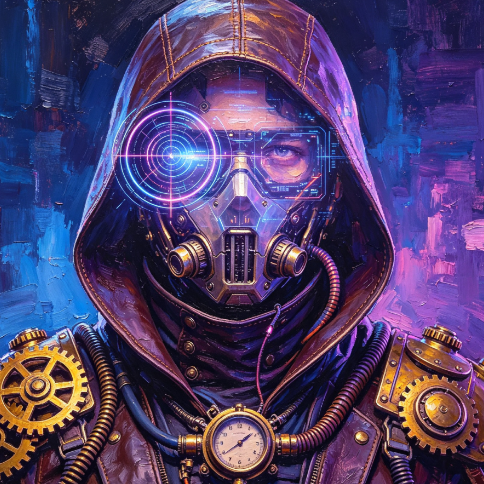

某AI技术社区近日开源了一款名为MiniMax-H3-Image的图像生成模型,该模型将文生图、参考图生成以及图像编辑能力统一在同一架构中,支持原生4096×4096像素(约16MP)的图像输出,无需额外超分辨率放大,同时适配多种宽高比,最多可支持16张参考图像输入。为降低部署门槛,该模型通过剪枝和量化技术优化后,可在仅24GB显存的硬件环境中本地运行。
除核心模型外,该社区还同步开源了配套的提示词改写模型MiniMax-H3-Image-PE,能够将用户的简短请求扩展为详细的图像描述,并自动给出合适的宽高比建议,进一步降低了模型的使用门槛。
模型生成效果
该模型在多种创作场景下表现出色,可生成写实摄影风格的图像,也能打造超现实主义时尚摄影作品;支持环境概念设计、角色生物道具创作,涵盖绘画与插画风格;具备带推理能力的文本渲染功能,可在图板上正确解答中英文逻辑谜题;在图像编辑方面,既可以将无纹理3D渲染图转化为月球研究基地的电影剧照,也能将游戏地图转换为第一人称3D游戏视角并保留小地图显示,甚至可通过十张参考图组合出完整的客厅场景。
模型剪枝技术
该模型在训练时经过6步蒸馏优化,仅需在固定的6个sigma参数处推理,但仍存在部分冗余参数以兼容其他sigma数值。为减少资源占用,目前提供两种剪枝方案,均可减少约39%的模型参数:
- 采用SVD低秩矩阵分解对冗余部分进行处理,可在常用模型工具中使用,但存在一定误差;
- 通过缓存sigma参数推理的中间产物替代冗余部分的计算,可在特定工具中使用,无误差。
剪枝后的模型结合平均3bit混合量化,可在24GB显存加8GB内存的配置下运行,无需额外的内存卸载操作,同时提供了常用工具的工作流,以及面向多GPU服务器的部署方案。
本地推理部署方案
该模型参数量较大,针对不同硬件条件提供了多种推理方案,以下为常见硬件的部署方式:
消费级NVIDIA GPU RTX 4090
RTX 4090拥有24GB显存,部署时需进行量化压缩,推荐使用相关工具进行推理。首先安装所需的Python环境,代码如下:
pip install diffsynth==2.2.2
pip install cupy-cuda12x # or cupy-cuda13x
针对该显卡提供两种方案:
方案一:24GB显存加32GB内存,开启INT8量化并提升精度,DiT部分开启动态CPU卸载,Text Encoder部分开启磁盘卸载进行流式加载和推理,生成图像的质量几乎无损,示例代码如下:
import torch
from diffsynth.pipelines.minimax_h3_image import MiniMaxH3ImagePipeline, ModelConfig
quant_vram_config = {
"offload_dtype": torch.bfloat16,
"offload_device": "cpu",
"onload_dtype": torch.bfloat16,
"onload_device": "cpu",
"preparing_dtype": torch.bfloat16,
"preparing_device": "cuda",
"computation_dtype": torch.bfloat16,
"computation_device": "cuda",
}
offload_vram_config = {
"offload_dtype": "disk",
"offload_device": "disk",
"onload_dtype": "disk",
"onload_device": "disk",
"preparing_dtype": torch.bfloat16,
"preparing_device": "cuda",
"computation_dtype": torch.bfloat16,
"computation_device": "cuda",
}
pipe = MiniMaxH3ImagePipeline.from_pretrained(
torch_dtype=torch.bfloat16,
device="cuda",
model_configs=[
ModelConfig(
model_id="DiffSynth-Studio/MiniMax-H3-Image-EntroPack",
origin_file_pattern="models/dit_8bit_int8.safetensors",
origin_config_file="models/dit_8bit_int8.json",
**quant_vram_config,
),
ModelConfig(
model_id="DiffSynth-Studio/EntroPackPreQuants",
origin_file_pattern="models/MiniMax-H3/text_encoder_int8_convrot.safetensors",
origin_config_file="models/MiniMax-H3/text_encoder_int8_convrot.json",
**offload_vram_config,
),
ModelConfig(
model_id="MiniMax/MiniMax-H3-Image",
origin_file_pattern="pdd_fused_heads.safetensors",
**quant_vram_config,
),
ModelConfig(
model_id="DiffSynth-Studio/MiniMax-H3-Image-EntroPack",
origin_file_pattern="models/vae_int8.safetensors",
**quant_vram_config,
),
],
processor_config=ModelConfig(model_id="MiniMax/MiniMax-H3-Image", origin_file_pattern="processor/"),
vram_limit=20,
)
prompt = "A cat is sitting on the table. A book is on the table."
image = pipe(prompt=prompt, height=4096, width=4096, seed=42)
image.save("MiniMax-H3-Image-Pruned-EntroPack.jpg")
方案二:24GB显存加8GB内存,以8.5bit、5bit和2.9bit混合量化到平均3bit的精度,无需任何内存卸载操作,生成大量图片时速度最快,示例代码如下:
import torch
from diffsynth.pipelines.minimax_h3_image import MiniMaxH3ImagePipeline, ModelConfig
pipe = MiniMaxH3ImagePipeline.from_pretrained(
torch_dtype=torch.bfloat16,
device="cuda",
model_configs=[
ModelConfig(
model_id="DiffSynth-Studio/MiniMax-H3-Image-EntroPack",
origin_file_pattern="models/dit_extreme_3bpp.safetensors",
origin_config_file="models/dit_extreme_3bpp.json",
),
ModelConfig(
model_id="DiffSynth-Studio/EntroPackPreQuants",
origin_file_pattern="models/MiniMax-H3/text_encoder_3bpp.safetensors",
origin_config_file="models/MiniMax-H3/text_encoder_3bpp.json",
),
ModelConfig(
model_id="MiniMax/MiniMax-H3-Image",
origin_file_pattern="pdd_fused_heads.safetensors",
),
ModelConfig(
model_id="DiffSynth-Studio/MiniMax-H3-Image-EntroPack",
origin_file_pattern="models/vae_int8.safetensors",
),
],
processor_config=ModelConfig(model_id="MiniMax/MiniMax-H3-Image", origin_file_pattern="processor/"),
)
prompt = "A cat is sitting on the table. A book is on the table."
image = pipe(prompt=prompt, height=4096, width=4096, seed=42)
image.save("MiniMax-H3-Image-Pruned-EntroPack.jpg")
该模型也提供了常用工具的工作流,方便用户使用。
NVIDIA GPU H20
H20是数据中心服务器上常用的低成本推理GPU,部署时需使用相关工具,首先需执行自定义注意力算子的配置代码,需在导入相关工具前运行,代码如下:
import os
os.environ["DIFFSYNTH_ATTENTION_IMPLEMENTATION"] = "sage_attention_h20_fast"
from sageattention import sageattn_qk_int8_pv_fp8_cuda_sm90
from diffsynth.core.attention.common import rearrange_out, rearrange_qkv
from diffsynth.core.attention.registry import register_attention_implementation
def sage_attention_h20_fast(q, k, v, q_pattern="b n s d", k_pattern="b n s d", v_pattern="b n s d", out_pattern="b n s d", dims=None, scale=None):
required_in_pattern, required_out_pattern = "b s n d", "b s n d"
q, k, v = rearrange_qkv(q, k, v, q_pattern, k_pattern, v_pattern, required_in_pattern, dims)
q, k, v = q.contiguous(), k.contiguous(), v.contiguous()
out = sageattn_qk_int8_pv_fp8_cuda_sm90(
q, k, v,
tensor_layout="NHD",
qk_quant_gran="per_warp",
pv_accum_dtype="fp32+fp32",
smooth_k=False,
is_causal=False,
sm_scale=scale,
)
out = rearrange_out(out, out_pattern, required_out_pattern, dims)
return out
register_attention_implementation(
"sage_attention_h20_fast",
sage_attention_h20_fast,
supports_causal=False,
supports_window=False,
supports_mask=False,
)
之后启用INT8量化并提升精度,同时进行编译加速,开始模型推理,示例代码如下:
import torch
from diffsynth.pipelines.minimax_h3_image import MiniMaxH3ImagePipeline, ModelConfig
pipe = MiniMaxH3ImagePipeline.from_pretrained(
torch_dtype=torch.bfloat16,
device="cuda",
model_configs=[
ModelConfig(
model_id="DiffSynth-Studio/MiniMax-H3-Image-EntroPack",
origin_file_pattern="models/dit_8bit_int8.safetensors",
origin_config_file="models/dit_8bit_int8.json",
),
ModelConfig(
model_id="DiffSynth-Studio/EntroPackPreQuants",
origin_file_pattern="models/MiniMax-H3/text_encoder_int8_convrot.safetensors",
origin_config_file="models/MiniMax-H3/text_encoder_int8_convrot.json",
),
ModelConfig(
model_id="MiniMax/MiniMax-H3-Image",
origin_file_pattern="pdd_fused_heads.safetensors",
),
ModelConfig(
model_id="DiffSynth-Studio/MiniMax-H3-Image-EntroPack",
origin_file_pattern="models/vae_int8.safetensors",
),
],
processor_config=ModelConfig(model_id="MiniMax/MiniMax-H3-Image", origin_file_pattern="processor/"),
)
pipe.compile_pipeline()
prompt = "A cat is sitting on the table. A book is on the table."
image = pipe(prompt=prompt, height=4096, width=4096, seed=42)
image.save("MiniMax-H3-Image-Pruned-EntroPack.jpg")
该模型首次推理有减速效果,后续每次推理都会加速,适合部署线上推理服务处理大量用户请求。在4096分辨率下,需要约50GB显存,生成一张图需要39秒,推理速度比常用工具快18%;在2048分辨率下,需要约48GB显存,生成一张图需要9.4秒,推理速度比常用工具快8%。
多GPU服务器上的推理服务部署
对于多GPU服务器,推荐使用相关框架部署模型推理服务,以下以某框架为例,分别演示文生图和参考图编辑的部署方式。首先部署模型推理服务,步骤如下:
# 安装环境
git clone https://github.com/sgl-project/sglang.git sglang-h3-image
git -C sglang-h3-image checkout eef6d87111ca94083f2840821de02d037463c174
python3.12 -m venv sglang-h3-image/.venv
source sglang-h3-image/.venv/bin/activate
python -m pip install --upgrade pip
python -m pip install --pre -e "./sglang-h3-image/python[diffusion]"
pip install modelscope requests
# 下载模型
modelscope download MiniMax/MiniMax-H3-Image --local-dir MiniMax/MiniMax-H3-Image
modelscope download MiniMax/MiniMax-H3 --local-dir MiniMax/MiniMax-H3 --include "text_encoder/*"
export MODEL_DIR="$PWD/MiniMax/MiniMax-H3-Image"
export TEXT_ENCODER_DIR="$PWD/MiniMax/MiniMax-H3/text_encoder"
# 启动推理服务
sglang serve --model-path "$MODEL_DIR" --text-encoder-path "$TEXT_ENCODER_DIR" --host 127.0.0.1 --port 30000 --warmup-mode off
部署完成后,可发起图像生成和编辑请求,示例代码如下:
import base64
from pathlib import Path
import requests
# 文生图
response = requests.post("http://127.0.0.1:30000/v1/images/generations", json={"prompt": "A cinematic photograph of a red fox in a misty forest at dawn. Soft golden sunlight passes through tall pine trees, delicate dew on foliage, detailed natural fur, shallow depth of field, no text.", "size": "4096x4096", "num_inference_steps": 6, "guidance_scale": 1, "seed": 42, "generator_device": "cpu", "response_format": "b64_json"}, timeout=1800)
response.raise_for_status()
image = base64.b64decode(response.json()["data"][0]["b64_json"])
Path("output.png").write_bytes(image)
# 图像编辑
response = requests.post("http://127.0.0.1:30000/v1/images/edits", files={"image": ("reference.png", open("reference.png", "rb"), "image/png")}, data={"prompt": "Transform <Picture 1> into a cinematic watercolor illustration. Preserve the subject identity, pose and overall composition. Use soft paper texture and warm natural lighting.", "size": "4096x4096", "num_inference_steps": "6", "guidance_scale": "1", "seed": "42", "generator_device": "cpu", "response_format": "b64_json"}, timeout=1800)
response.raise_for_status()
image = base64.b64decode(response.json()["data"][0]["b64_json"])
Path("edited.png").write_bytes(image)
相关模型资源可在对应模型平台获取,包含核心模型、提示词改写模型以及剪枝量化模型的完整资源。
